
See FieldPulse in Action — Built Around Your Workflow
Get a personalized demo and see exactly how FieldPulse handles time tracking, QuickBooks sync, and field operations for a business like yours.


Already running payroll through QuickBooks Time? FieldPulse syncs automatically — so nothing in your back office changes.
.png)
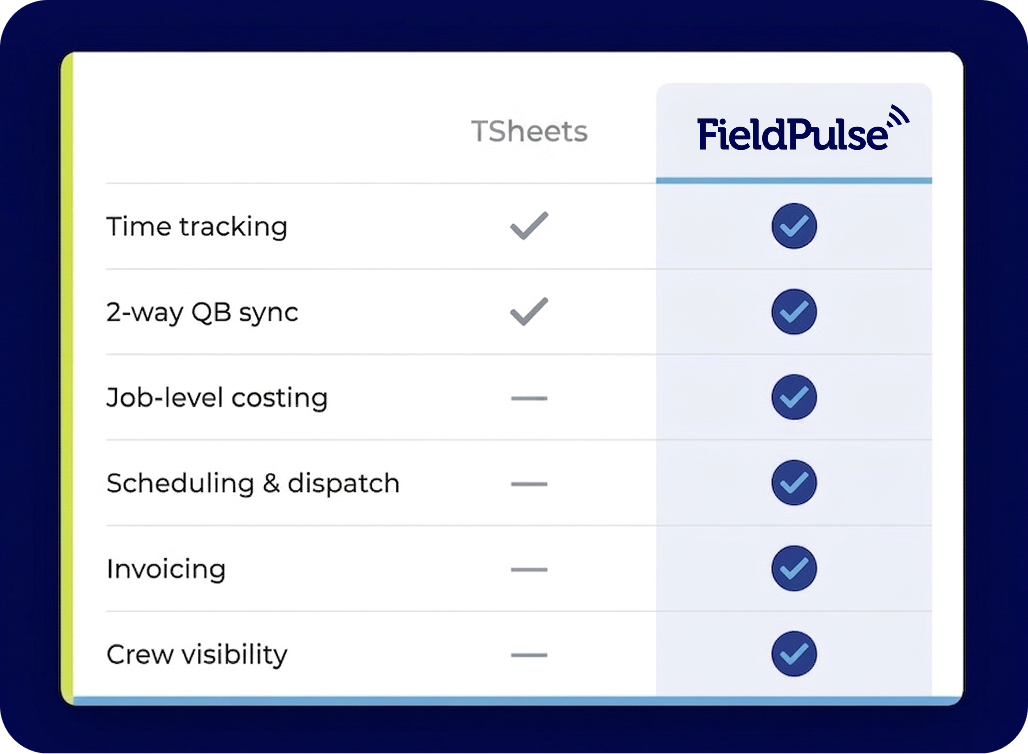
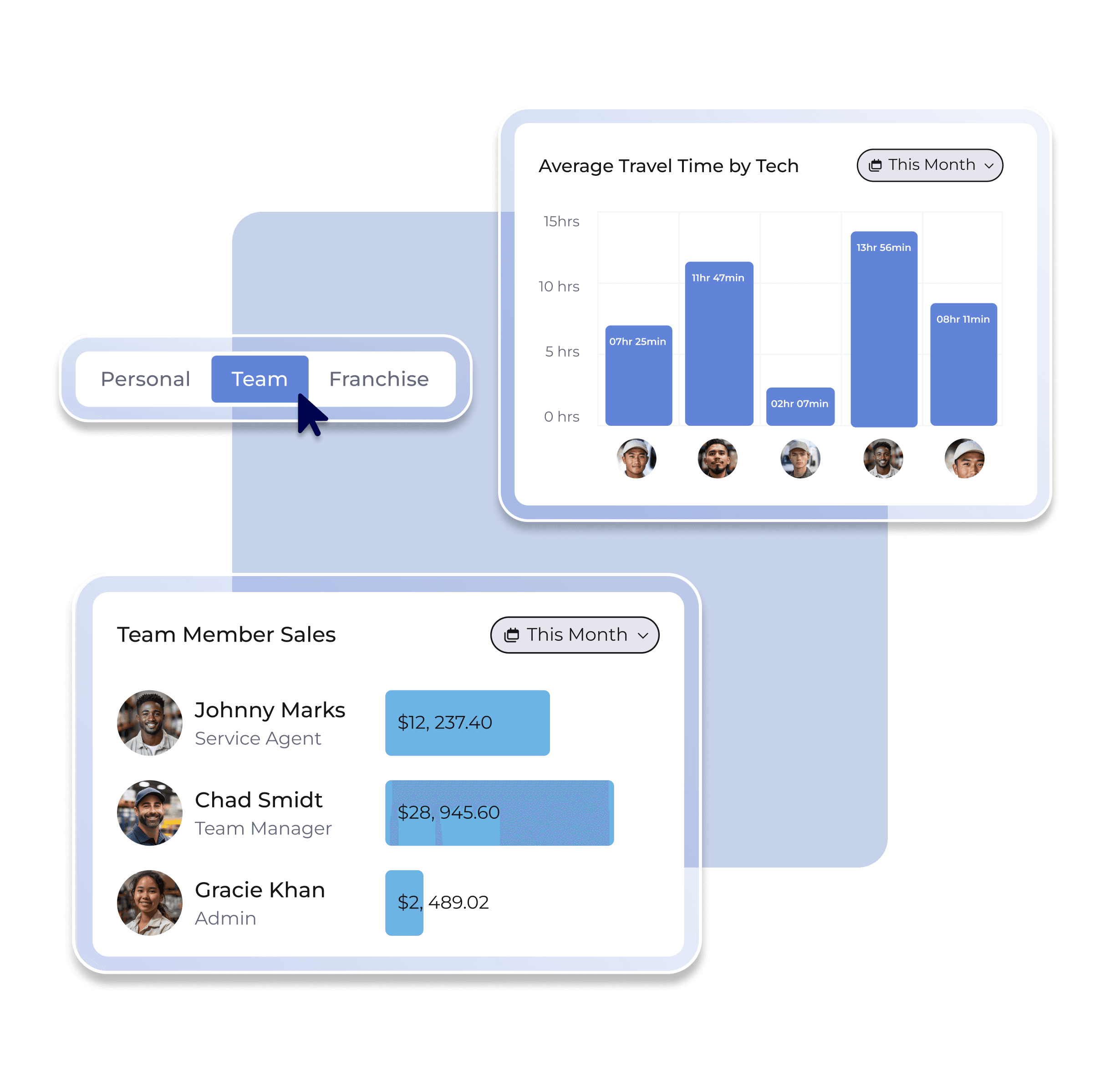
TSheets tracks when your team worked. FieldPulse helps you control when, where, and how — so your office has the visibility to stay ahead of changes before they become problems.
-1.png?width=996&height=946&name=unnamed%20(2)-1.png)
Your team isn't at a desk — their tools shouldn't require one. FieldPulse puts time tracking, job history, and invoicing in one mobile app.
It can be, but it doesn’t have to be. FieldPulse includes built-in time tracking with features QuickBooks Time doesn’t offer — like job-based timesheets, pause and resume, and crew visibility tied directly to your jobs and work orders. If you’re a field service business that wants time tracking, scheduling, dispatching, and invoicing in one place, FieldPulse can replace QuickBooks Time entirely. If you prefer to keep QuickBooks Time for payroll, FieldPulse integrates directly and syncs timesheets automatically.
No — and this is important. QuickBooks Time doesn’t allow overlapping timesheet entries. If a team member clocks into a general timesheet for the full day while also logging time against individual jobs, those entries will overlap and the sync will fail entirely. No data will transfer until the conflict is resolved. To keep your sync healthy, choose one method: either general timesheets for payroll or job-based timesheets for job costing — not both.
When syncing with QuickBooks Time, overtime is calculated automatically by QuickBooks Time based on the clock-in and clock-out times FieldPulse provides — no extra configuration needed on your end. Your existing overtime policies in QuickBooks Time apply to all synced entries, keeping payroll accurate whether your team is working standard hours or logging a long week on a big job.
Yes. FieldPulse syncs clock-in and clock-out times, tags, and notes directly into QuickBooks Time whenever a timesheet is created or updated. Edits and deletions in FieldPulse are reflected in QuickBooks Time automatically, so both platforms stay aligned without manual reconciliation. QuickBooks Time’s overtime rules also apply to synced entries, so your payroll calculations remain accurate.

Get a personalized demo and see exactly how FieldPulse handles time tracking, QuickBooks sync, and field operations for a business like yours.