

Write it in the field,
not again in
QuickBooks Online.
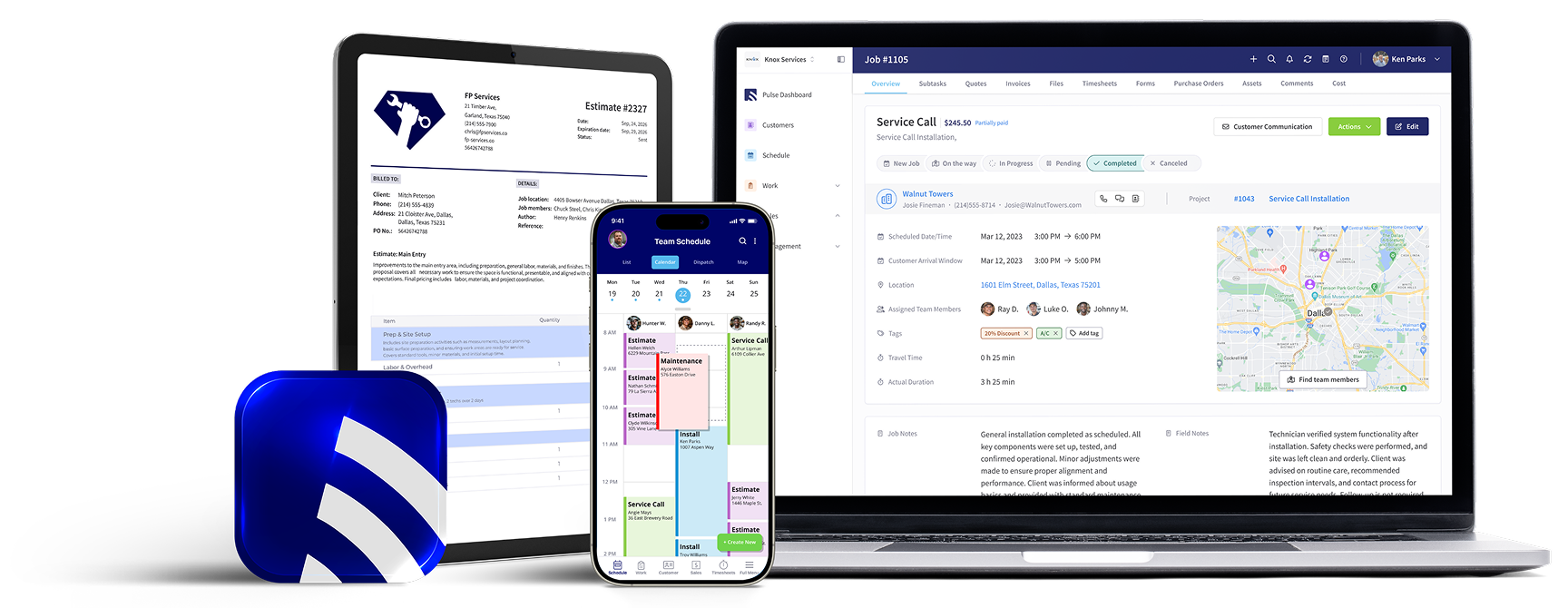
FieldPulse runs your jobs, from scheduling to invoicing, and syncs the money side with QuickBooks Online in both directions.
on average
time arrival
Everything the job produces,
already in your books.
Four ways FieldPulse ends double entry between
the field and QuickBooks Online.

Scheduling & Dispatching
Your dispatcher shouldn't need three phone calls to figure out where a tech is and what's next. FieldPulse puts the whole day on one board, so the office can see who's where, what's booked, and what's slipping.

Drag-and-drop scheduling with a live view of every tech's day, so gaps get filled instead of discovered at 4pm

Techs get the full job pushed to their phone the moment they're assigned: address, notes, history, attachments

Status updates flow back from the field, so the office knows a job closed without calling to ask
Work Order Management
Most invoicing delays happen because the office and the field are working from two different versions of the job. FieldPulse keeps the estimate, the work, and the paperwork in one thread from booking to done.

Everything lives on the work order: photos, forms, notes, line items, customer approvals

The estimate converts to a job and the job converts to an invoice, all on the same record with no rekeying between stages

Office and field see the same status, so nothing closes in the field and then sits unbilled for a week


Invoicing & Payments
The average field service business invoices days after the job closes, and that gap is where cash flow goes to die. FieldPulse lets your tech build the invoice on site from the work order that already exists.

Full history at every visit: past jobs, estimates, invoices, notes, and conversations

Service and billing addresses, contacts, and details on every record, visible to both the office and the tech

Every job, estimate, and invoice ties back to the customer, so nothing gets filed against the wrong account
Timesheets & Purchase Orders
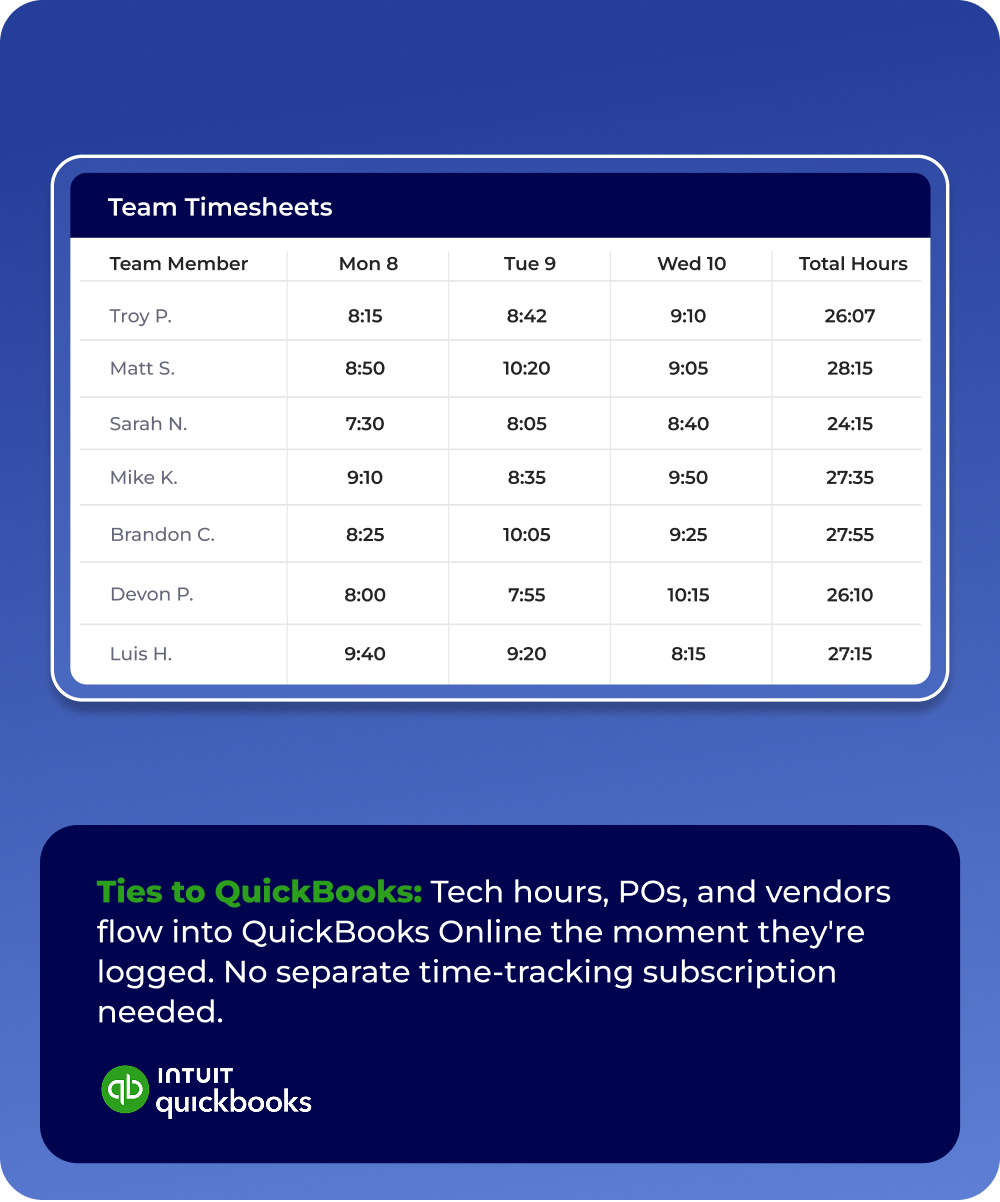
Payroll and job costing usually depend on somebody re-keying hours and material costs the night before payday. FieldPulse tracks both as they happen, so nothing needs entering twice.

Techs clock in from their phones; view team timesheets daily, weekly, or monthly from one dashboard

When inventory runs low, FieldPulse creates the PO and notifies you to review and send

Every PO links to its job, so you see real material costs per ticket
What Our Customers Say
“[FieldPulse] allowed me to pull my business into one software that helped me manage everything and integrates seamlessly with QuickBooks.”
“My staff are easily able to update tickets in the field, invoice the client, collect payment, close the ticket and everything flows to QuickBooks.”
“Their two way integration with QuickBooks is amazing, as I found myself double entering with other software.”
“Another fabulous feature is QuickBooks can talk to it, and you can talk to QuickBooks. So if changes need to happen, it can be done both ways.”
Frequently Asked Questions
FSM stands for field service management. FSM software runs the operational side of a service business: scheduling and dispatching, work orders, estimates, invoicing, payments, and customer records, all in one system. Instead of the office working from whiteboards and spreadsheets while techs call in for job details, everyone works from the same record.
FieldPulse is a field service management platform founded in 2015. It helps service businesses run their operations through customizable workflows, guided job execution, and industry-leading customer support, so teams can manage jobs from first call to final payment and grow without the chaos.
Yes. Edits made in QuickBooks Online, like a corrected customer record or an applied payment, sync back into FieldPulse. Tax rates come from QuickBooks Online, payments follow the standard flow into Undeposited Funds, and invoice numbering can follow your existing QuickBooks Online sequence. Your bookkeeper never has to log into field software.
When a tech clocks out in FieldPulse, the timesheet flows into QuickBooks Online. There is no separate time-tracking subscription and no re-keying hours before payday. Most of the data entry behind running payroll out of QuickBooks Online goes away.
No. Before anything moves, a pre-sync checklist flags duplicates, incomplete records, and missing tax rates, and our team helps you connect and map your accounts. Your existing QuickBooks Online data imports when you connect, with clear timeframes based on how much data you have. You start from your books, not from zero.